Shopify Payments reserve explained
Updated November 3, 2026
You opened a payout and found a line called reserve, or a message in your Payments settings, and your deposit is smaller than you expected. This guide explains what a reserve is, how it differs from a hold, how releases show up, and what to do when the whole payout account is on hold.
What a reserve is, and how it differs from a hold
A reserve is a share of each payout that Shopify keeps back for a set period. You still get a payout, but it is smaller than the sales behind it. The kept amount is released later.
A hold is different. A hold pauses the payout itself, so nothing arrives until it clears. People use "hold" and "reserve" for both, which is why threads on this topic get confusing. When you read your own payout, check which one you have: a negative reserve line inside a payout that arrived is a reserve. A payout that has not arrived at all is a hold.
Where to see it
- Settings → Payments → your Shopify Payments account. Look for the payout and reserve details for your account. Menu names change, so look for the closest match.
- The payout transactions export. Open Finances → Payouts, open a payout, export its transactions and filter the Type column for reserve lines.
The export is the more reliable source because it lists every reserve and release line with its date and amount.
Why Shopify sets one
Shopify decides this for its own risk reasons. Common triggers in the help material are a new account, a high chargeback rate and a risk review. This article does not guess which one applies to your store. Shopify does not publish a per-merchant rule, and the reason for your case is Shopify's to tell you. If you want to know, ask Shopify Support and quote the payout ID.
How releases show up
A release is a positive reserve line in a later payout. Two things surprise people:
- The dates never match. Money held on 3 March is not released on 3 April on the dot. A release lands in whichever payout is next after Shopify lifts it.
- Releases are not labelled by sale. A release is not tied to an order. You match it to the earlier reserve line by amount and timing, not by order number.
That is why the held total is easy to lose track of. Reserve lines go out in one payout, release lines come in another, and your sales report shows neither.
Tracking the held total week to week
A small table is enough. Add one row each time a payout contains a reserve or a release line:
| Payout date | Payout ID | Reserve (−) | Release (+) | Held total |
|---|---|---|---|---|
| Jun 7 | (from the payout page) | 250.00 | 250.00 | |
| Jun 21 | (from the payout page) | 100.00 | 350.00 | |
| Jul 12 | (from the payout page) | 250.00 | 100.00 |
The numbers are made up. The rule is simple: held total = previous held total + reserve − release. If your table and Shopify's reserve page disagree, you have a specific question to ask Support.
For your books, ask your accountant how to record held funds. They are money you are owed, not money you earned twice.
If your whole payout account is on hold
This is a different problem from a reserve, and this article does not fix it. If payouts have stopped, you need Shopify Support. Send them:
- Your store name and the date your last payout arrived.
- Any message Shopify sent about the hold, quoted exactly.
- The documents they asked for, if they asked.
Do not expect a date from an article or a forum thread. Only Shopify can tell you when a hold ends. Be wary of anyone who promises to release it.
Spotting the next one early
The cheapest warning is the payout itself. A payout that is lower than the sales behind it, with no refund to explain the difference, is the cue to open the transactions and look for a reserve line. Do that on the day the payout lands, not at month-end. The earlier you see a new reserve, the earlier you can ask why.
Skip the manual sum
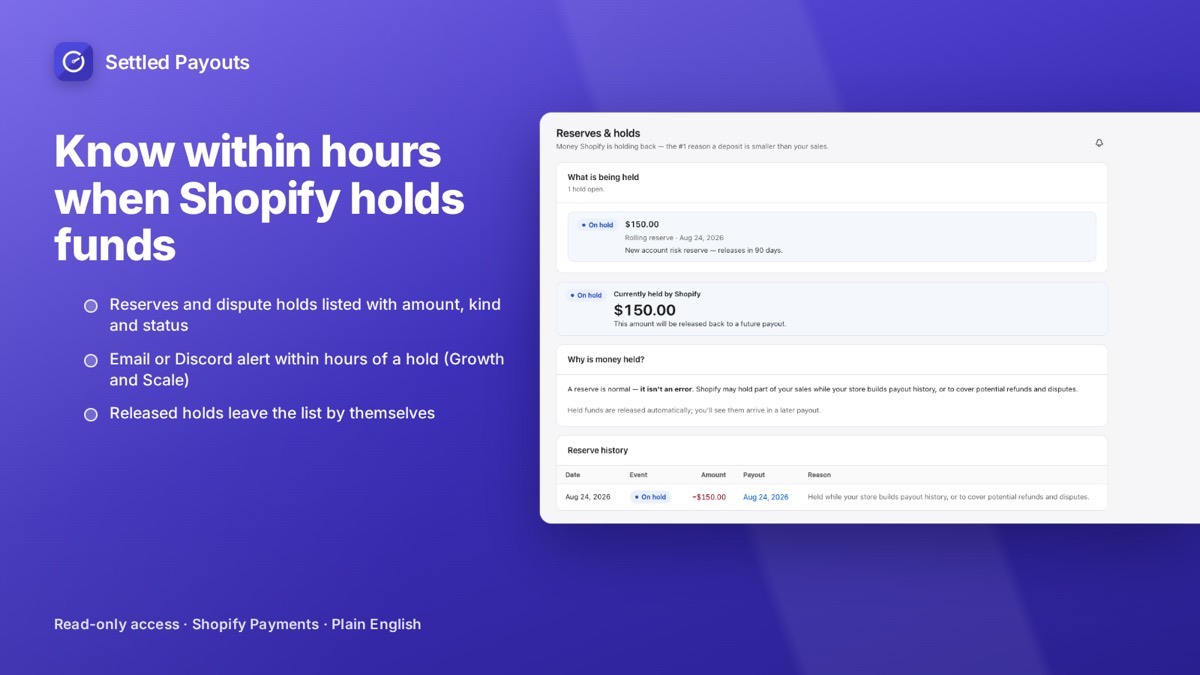
Settled Payouts flags a hold, with the reason in plain English and the amount held. On Growth it also sends an email or Discord alert within hours of a hold, so you do not find out at month-end.
Hold alerts by email and Discord are on Growth ($39/month) and Scale. 14-day free trial, no card required. Plans: Starter $19, Growth $39, Scale $79 per month.
Search Settled Payouts on the App Store